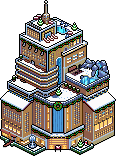
Welcome to the Habbox School of Witchcraft and Wizardry!
Step into a world of enchantment and adventure! Upon entering this event, the legendary Sorting Statue will automatically assign you to one of three magical houses.
Once sorted, you’ll also have access to your very own dorm room, a cozy space to call home as you explore the mysteries of the school.
As you journey through spells, potions, and magical challenges, you’ll have the chance to earn two exclusive badges, showcasing your achievements and the magical skills you’ve mastered.
Prepare your wands, grab your spell-books, and let the magic begin. The castle awaits, dare to dream, learn, and enchant!
There’s also a competition at the end of this guide where you can win an NFT Magic Set 😮
This event will automatically save your progress as long as you have completed the game room you are in and have teleported back to the main room, you can come back at any time. There is no set order, you can leave a busy room and go to a quieter one. Complete 6 rooms for badge 1 and all rooms for badge 2!
Room Owner: __tbl
Room Name: [Habbox] Official Rooms Hallway
Difficulty: Medium
Search __tbl or type in :roomid 78291407 to begin!




 14
14