


Falling Furni

You will need:

Chairs (One for each player, except one) WIRED Trigger: User Walks On Furni (x1; optional) WIRED Effect: Teleport User To Furni (x1; optional)

This guide will show you how to set up the game Falling Furni for you to host. For more information on the game, including how to play and useful keywords, check out our wiki page by clicking here.

Step 1: Regular version

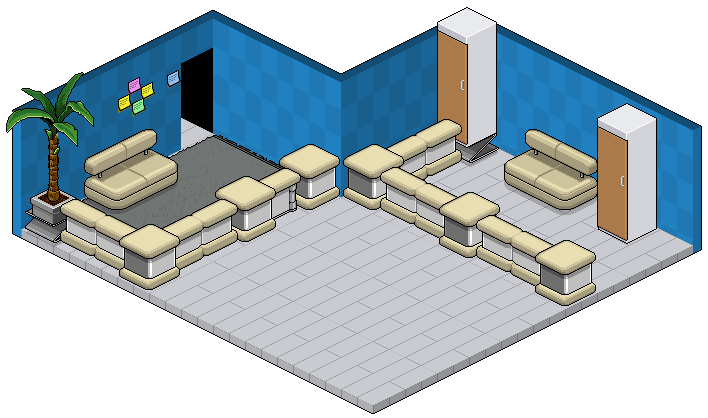
The regular version of the game Falling Furni requires no set-up. You will need an empty playing area and enough chairs in-hand to host.
Step 2: Choosing a ‘Poi’ chair (optional)

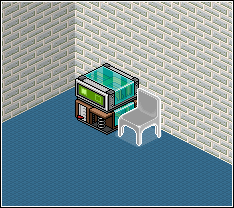
Poi is used to refer to a chair that is set-up as an auto-kick chair. It is placed in order to trick people into sitting on it, which will result in them losing the game immediately. Firstly, choose a chair that is different from the other chairs that you will be using; the players must be able to tell the difference between a safe and a Poi chair.

Step 3: Wiring the ‘Poi’ chair (optional)

Place one WIRED Trigger: User Walks On Furni and set it to the auto-kick chair you have chosen. Place one WIRED Effect: Teleport User To Furni and set it to an area outside of the gaming area. Stack these two WIREDs together and anyone who sits on that chair will now be teleported out of the game.
Related guides
  • Events Timetable
  • Latest Wiki edits
    Wiki Page User
    Cloud Castle Bundle
    Xenu
    Iridescent Skin
    Hottsardine
    Tropical Lagoon Bundle
    Xenu
    Testing Facility Bundle
    Xenu
    Sunlight City Bundle
    Xenu
    Bonnie Blonde's Malibu House Bundle
    Xenu
  • Upcoming DJs
  • Staff of the Month
    Nat
    Nat
    Nat is our Help Desk Manager that does a great job leading her department, and continuously making sure her hours are completed & the weekly leaderboard is posted!
    Katie
    Katie
    Katie is our Events Manager who consistently hosts fun games for the client, and also gets other departments involved to DJ during her events slots!
    Triz
    Triz
    Triz is our Forum Manager who puts in a lot of work behind the scenes updating our forum, and providing new icons & seasonal flairs!
    Ken
    Ken
    Ken is our Graphics Manager who makes amazing graphic designs for our badge events and special Habbox events such as our Summer Spectacular!
    Thousand
    Thousand
    Thousand is our Room Builders Manager who makes amazing builds, and also leads a successful team of builders, while also recognizing them for their hard work!
  • Latest Badges
  • Latest forum posts
    Thread User
    What's the last thing you ate or drank?
    tbl
    Count to 2027 before 2027
    tbl
    Makerfield by-election, 2026
    Earthquake
    Shalom 👋
    Triz
    Career change
    -:Undertaker:-
  • Latest Comps
    Thread User
  • HabboxLive Radio
    Loading…
    0
    Message the DJ
    Submit