

People Counter

You will need:

2x WIRED Trigger: Toggle Furni State 2x WIRED Effect: User Walks On Furni 1x WIRED Condition: Furni States And Positions Match 1x WIRED Negative Condition: Furni states DOESN'T Match 1x Tile, Floor, or Seat of your choice 2x Number Block (Builders Club exclusive)

This guide will allow you to see how many users are in a specific area of your room. It is useful in hosting specific events, for example, Majority Rules.

Step 1: Setting up the numbers

Place two Number Blocks next to each other. Double click the first WIRED Trigger: Toggle Furni State, select both Number Blocks, and press ‘Ready’.
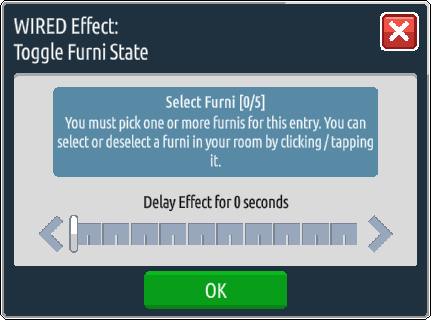
Step 2: WIRED Condition: Furni States And Positions Match

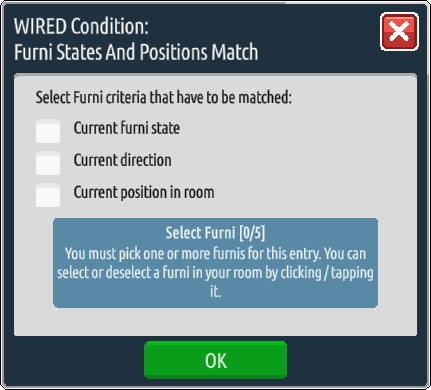
Place your WIRED Condition: Furni States And Positions Match on top of the WIRED Trigger: Toggle Furni State that you have just used, and select the right-side Number Block. Double click that Number Block until it displays the number 9 and select the “Current Furni State” option on the wired.
Step 3: Choose a triggering chair

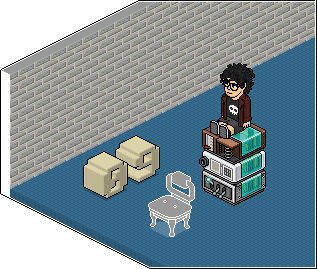
Place one of your WIRED Trigger: User Walks On Furni on the top of the stack you have just built and select the item of furniture you want to trigger the people counter. In my example below, I am using the Majestic Chair.
Step 4: Start a new stack

Create a new stack by placing the second WIRED Effect: Toggle Furni State next to the stack you have already created. Double click it and select the Number Block on the right only.
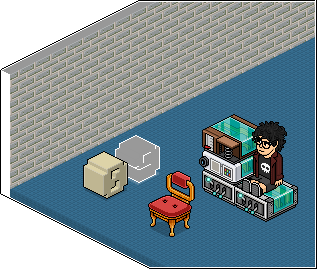
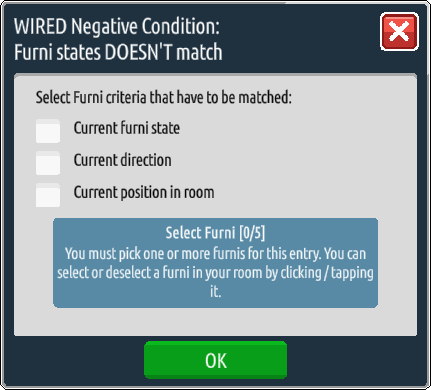
Step 5: WIRED Negative Condition: Furni States DOESN’T Match

Place your WIRED Negative Condition: Furni states DOESN’T Match on the top of the WIRED Trigger: Toggle Furni States that you have just set. Double click it and select the right-side Number Block that is toggled to 9 and once again select “Current Furni State”.
Step 6: WIRED Trigger: User Walks on Furni

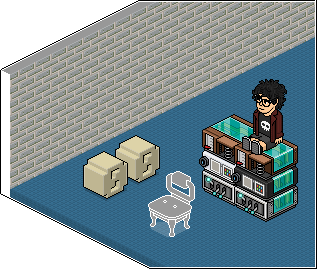
Place the last WIRED Trigger: User Walks On Furni on top of the second stack and select the same furniture item you used in the previous stack. In my example, I have used the Majestic Chair.

The wired set-up is now complete and the Number Blocks should increase every time your furniture item is stepped on!
Related guides
  • Events Timetable
  • Latest Wiki edits
    Wiki Page User
    Rare Prizes
    Bunceythegreat
    Citrine Baby Sheep
    Bunceythegreat
    Obsidian Baby Sheep
    Bunceythegreat
    Amethyst Sea Otter
    Bunceythegreat
    Pearl Sea Otter
    Bunceythegreat
    Rainbow Dragon Lamp LTD
    Hottsardine
  • Upcoming DJs
  • Staff of the Month
    Nat
    Nat
    Nat is our Help Desk Manager that does a great job leading her department, and continuously making sure her hours are completed & the weekly leaderboard is posted!
    Katie
    Katie
    Katie is our Events Manager who consistently hosts fun games for the client, and also gets other departments involved to DJ during her events slots!
    Triz
    Triz
    Triz is our Forum Manager who puts in a lot of work behind the scenes updating our forum, and providing new icons & seasonal flairs!
    Ken
    Ken
    Ken is our Graphics Manager who makes amazing graphic designs for our badge events and special Habbox events such as our Summer Spectacular!
    Thousand
    Thousand
    Thousand is our Room Builders Manager who makes amazing builds, and also leads a successful team of builders, while also recognizing them for their hard work!
  • Latest Badges
  • Latest forum posts
    Thread User
    Count to 2027 before 2027
    .Nat
    What's the last thing you ate or drank?
    jamiexo
    What are you listening to? #2
    tbl
    2026 Travel & Trips
    Shockwave.2CC
    What was the last restaurant you went to?
    mattyo.
  • Latest Comps
    Thread User
  • HabboxLive Radio
    Loading…
    0
    Message the DJ
    Submit