You will need:
This guide will show you how to make a Bot run to a specific location when you say a certain keyword. It will also show you how to get the Bot to teleport back to the original location once it has reached its destination.
Step 1: Setting up the room.
You need to choose where you want your bot to start and where you want it to run to. if the location you want it to run to is on a 2×2 floor patch, you will need to place 1 Spa Tile underneath the flooring. If you want the Bot to teleport back to the original spot when it reaches the end, you will also need to place 1 Spa Tile at the starting location. Once you have your flooring back on, the Spa Tiles should be hidden.

Step 2: Make them run!
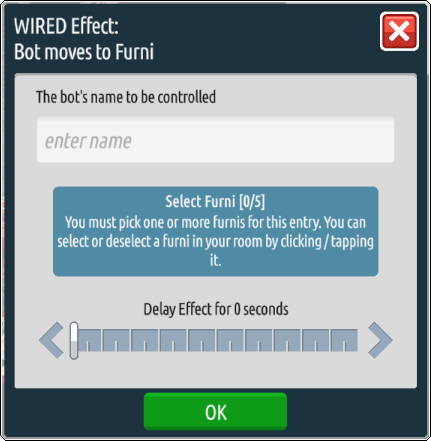
Place WIRED Trigger: User Says Keyword and set it up with a keyword of your choice, for example, “go” – this will be the keyword used to make your Bot run. Place a WIRED Effect: Bot moves to Furni and select the Spa Tile that is underneath the location you want the Bot to run to – also remember to add in the Bot’s name at the top.
Step 3: Go back please!
If you want your Bot to return back to its original position when it’s reached the end, this will show you how.
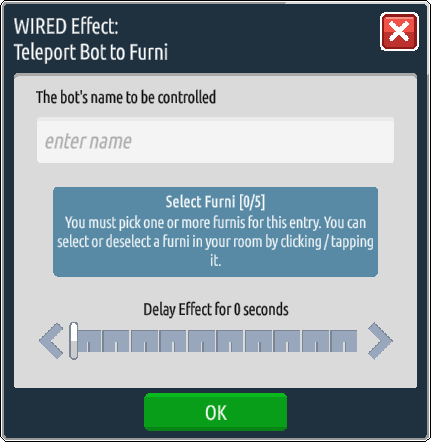
Place WIRED Trigger: Bot Reaches Furni and select the Spa Tile that the Bot is running to (the end location) and add in the Bot’s name – essentially the same information as used in the WIRED Effect: Bot move to Furni. Then place WIRED Effect: Teleport Bot to Furni and select the Spa Tile that is underneath the STARTING location, and again enter the Bot’s name.
Now, when you say the keyword, the Bot should run to the end location and teleport back to the starting location! Use the Delay Effect option if you want them to linger at the “end” for a while before teleporting back.