
Think you’ve got what it takes to infiltrate the Mafia? Well, dust off your best disguise, polish your alibi and try not to look too suspicious… because you’re about to go undercover!
You’ll need to lie convincingly, keep your story straight because if the Mafia catches you, you could end up sleeping with the fishes…
Two exclusive Habbox badges will be awarded at the end of the event!


Designed by our very talented Hassled, these badges are the perfect way to show where your loyalties lie.
Room Owner: __tbl
Room Name: [Habbox] Official Rooms Hallway
Difficulty: Easy
Click the elevator below to be taken directly to the room or search __tbl or type in :roomid 78291407 to begin!

Official Rooms Hallway
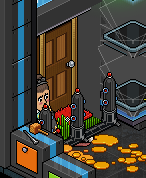
Enter The Door Teleports.
The Olive Garden
You have reached The Olive Garden, you’ll meet here with your FBI handler every so often. Your progress here is checkpointed, if a room is busy and you come back later, you’ll start back at the last time you were in this room!
Walk over towards the FBIHandler and sit on the chair at his table.

Listen to the FBIHandler who will tell you about your assignment, you will automatically teleport.
The Clean Getaway Launderette
Walk forward to enter the queue and patiently wait for your turn.

You have 60 seconds to collect 10 Stacks of Cash by walking under them as they fall.
Click on the shadows that appear on the floor and wait for the cash to fall.

The total cash you have collected will be shown above your head.
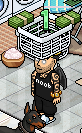
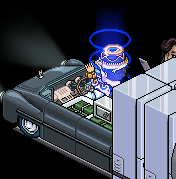
Once 10 Stacks of Cash have been collected, you’ll automatically teleport to the limo.
After completing the game, wave to teleport to the next room.
The Office Vaults
Look around the room and click on the hidden keys, there is no time limit and this game can be played as part of a team.
There are 9 keys to collect, they will appear on the yellow tiles as you find and click them.

All of the key locations are pictured below.
Once all of the keys have been found, quickly say done as the room will reset after 5 seconds.
TIP: The keys are hard to find! You may need to long press on mobile.
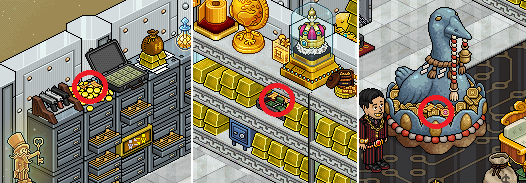
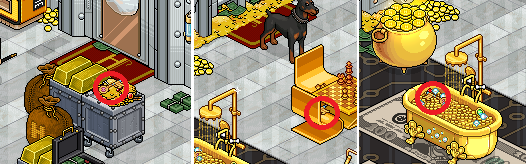
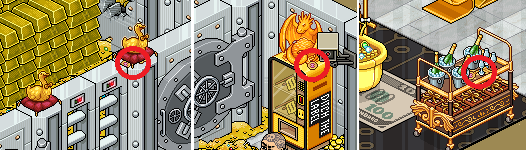
Say done to complete the game now all of the keys are on the yellow tiles.
Wave to teleport to the next room.
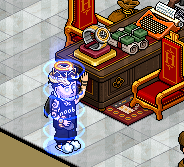
The Don’s Chop Shop
Listen to the bot ******, answering yes when prompted.
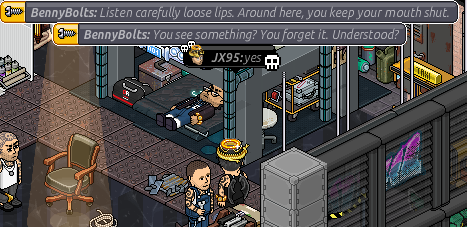
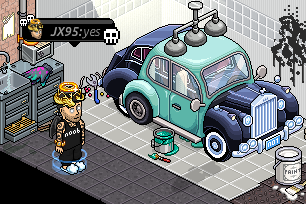
Once you have finished listening to the bot ****** and are stood outside, wave to teleport to the next room.

The Olive Garden
You are now back at The Olive Garden. Your progress for the rooms you have just completed will now have saved, so you’re free to leave and come back here to carry on.
Walk over towards the FBIHandler and sit on the chair at his table again.

You will now be given an update on your case, listen to the FBIHandler and you will automatically teleport once he has finished talking to you.
The Police Station
Click on the noticeboard next to Officer_Gabriel and patiently wait until it’s your turn to enter the interview room.
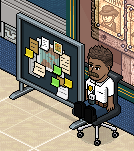
Listen to the witness statement to help you identify the murderer and the weapon.
TIP: The statements are randomly generated, so you’ll need to listen to match it to the correct suspect.
Once you’ve finished listening to the witness, you’ll teleport back to the Police Station.
You must now click on the button in front of the suspect you believe is the culprit.
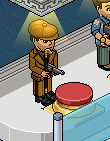
If you’re successful, you will automatically teleport to the next room, if you lose, you’ll need to try again by clicking the noticeboard.
The Olive Garden
You are now back at The Olive Garden. Your progress for the rooms you have just completed will now have saved again, so you’re free to leave and come back here to carry on.
Walk over towards the FBIHandler and sit on the chair at his table for another update.

You will now be given another update on your case, listen to the FBIHandler and you will automatically teleport once he has finished talking to you.
The Boss will see you now..
Walk over to the desk and click on the doormat, you will join the queue and automatically teleport to see The Boss when you’re next.
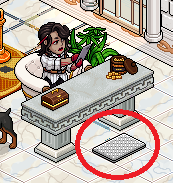
Your queue position will be displayed on top of your head while you wait in the lobby.
TIP: If this room is busy, you can come back to The Olive Garden another time and come back to this lobby by sitting with the FBIHandler.
The Boss Office
Shh! No spoilers. 😉

You will automatically teleport back to The Olive Garden after you have completed this room.
The Olive GardenYou are now back at The Olive Garden.
You’ve completed our event and have been awarded two amazing badges!


We hope you enjoyed this Habbox event!
A special thank you to the amazing Thousand, James & Hassled for their help.
Built with love, loyalty & a little hustle from the family..

Thousand JX95 James Hassled
Leave a comment below about your experience.










